
On-demand Color Grading Classes
Want to learn at your own speed? Get a series of classes for on set price and work through the course in your own time. Courses include DaVinci Resolve, color pipeline, and HDR.
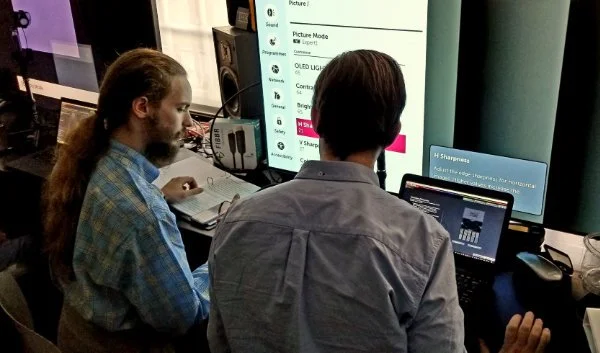
Color Pipeline Mentor Program
3 modules, 18 x 1hr lessons
£360 per module or all lessons for £900
A complete grading curriculum from on set production to post-production. Kevin Shaw has taught thousands of individuals in private classes, at film schools and major companies including Amazon, Netflix, Sky, BBC, CBS, Kodak, and Dolby. This program makes it easier than ever for people to get to grips with color, so you can go from colour novice to colour confidence.
Over 50 hours of classes
Six months access allowance to recordings
50% discount on 1-on-1 consultations
Exercises to try between classes
Further reading suggestions
See more or purchase course >
Warren’s Resolve Color Bootcamp
Over 50 classes for content creators, editors, colorists, and videographers
Learn the craft of color grading, not just the tools. The bootcamp offers over 15 hours of quality training videos, 34GB of footage to help perfect your skills, and 125 ProRes HD film/video effect stock footage clips. Learn both the craft and the tools to take your skills to the next level. Stream the class movies online at fxphd while on the go. Download and keep the class movies for offline viewing at your own pace
You will learn
This course is designed for beginners looking to learn video editing and color grading using DaVinci Resolve. It covers essential techniques such as cutting, assembling sequences, applying effects, and color grading for different types of footage. The course also includes downloadable media for hands-on practice and is tailored to content creators aiming to enhance their video quality for platforms like YouTube or social media.
Resolve: Your Secret Weapon
What is a colorist, and what is Resolve all about? (Warren gives you the lowdown.)
Why color grading matters: Learn how to take your videos from "meh" to "WOW!"
Setting Up for Success
Get the FREE Resolve software: Download and installation made easy.
Mastering User Settings: Get your Resolve dialed in for optimal workflow.
Organizing Your Content
Bringing mixed footage into the Media Pool.
The Inspector: Evaluate your camera clips for this class. (Buy a three button mouse, it’ll make you life in Resolve much easier.)
Project Settings: Get the resolution and frame rate right for your audience.
Creating a Timeline: Building your video's foundation.
Editing A Small Sequence
Review your camera rushes in your timeline and choose a clip to start your edit.
Marking in and out points to ensure a smooth workflow.
The eyes are so important, we have to connect with our subject.
Adding Music: Give your video the right vibe for engaging content.
Add Spice to Your Edits
The Inspector: Change the properties of a clip.
Zooming with Keyframes: Create a big close up from a wide shot.
Changing Clip Speed: Bringing it all together through speed alterations.
Optical Flow and the Speed Warper: Create smoother transitions.
Insert, overwrite and replace: The key editing commands.
Up Your Editing Game
Razor Blade tool: To cut a clip and to create a jump cut.
Creating Speed Ramps: Add dynamic motion and excitement.
Video Dissolves: Transition smoothly between scenes.
Fixed Playhead: Avoid the jumpy effect on your timeline.
Text and Animation: Ad cool Fusion text presets that animate.
Logos with an Alpha channel: Control the visibility and transparency of objects.
Color Correction Basics
Scopes Explained: The vital relationship between the scope and the Resolve viewer window.
The Color Picker: To get an RGB value for any pixel on the screen.
Black and White: Make your picture B&W to judge contrast.
Using the Color Picker and scope focus to evaluate your levels.
Primary Color Correction
Building a Gray Scale Ramp: Understand the tools and get a consistent global look.
Resetting Your Eyes: Achieving balanced color perception with black, white and grey stills.
PowerGrade Library: Save all your favourite looks as a preset.
See more or purchase course >
Intro to HDR
Stand-alone course in 13 classes, 7.5hrs total: $199
Do you really know what HDR is? This course is much more than a tutorial. Structured classes will help you master HDR, learn about HDR displays, and how to grade HDR content. You’ll understand the different HDR formats, including Dolby Vision, HDR10 and HLG. Feel confident to set up and grade HDR in DaVinci Resolve.
3x archives with projects and media to grade
Stream or download
HDR makes a difference to workflow from capture and mastering through to delivery and display. With a deeper knowledge of HDR workflows, formats, and display technologies, you can better invest, implement and explore the possibilities the tech brings.
For: colorists, engineers, cinematographers, DITs, VFX artists, and editors involved in HDR pre-production, production and post-production. It’s also useful for producers, directors and designers as they encounter demand for HDR, Dolby vision, UHD Premium, Rec 2020, and wide color gamut. If you are looking for a structured HDR tutorial, this course is for you.
This course is much more than a one-off tutorial. Learn to take full advantage of new workflows and develop new skills for high dynamic range content. Experience how lighting, editing and grading are affected, and which tools are most useful to achieve bigger, better color. Learn the three essential workflows for HDR mastering. The course covers critical concepts and practical considerations for HDR production, workflow, grading, mastering, distribution, and viewing. You will also build your vocabulary around HDR and communicate effectively in technical and creative related discussion.